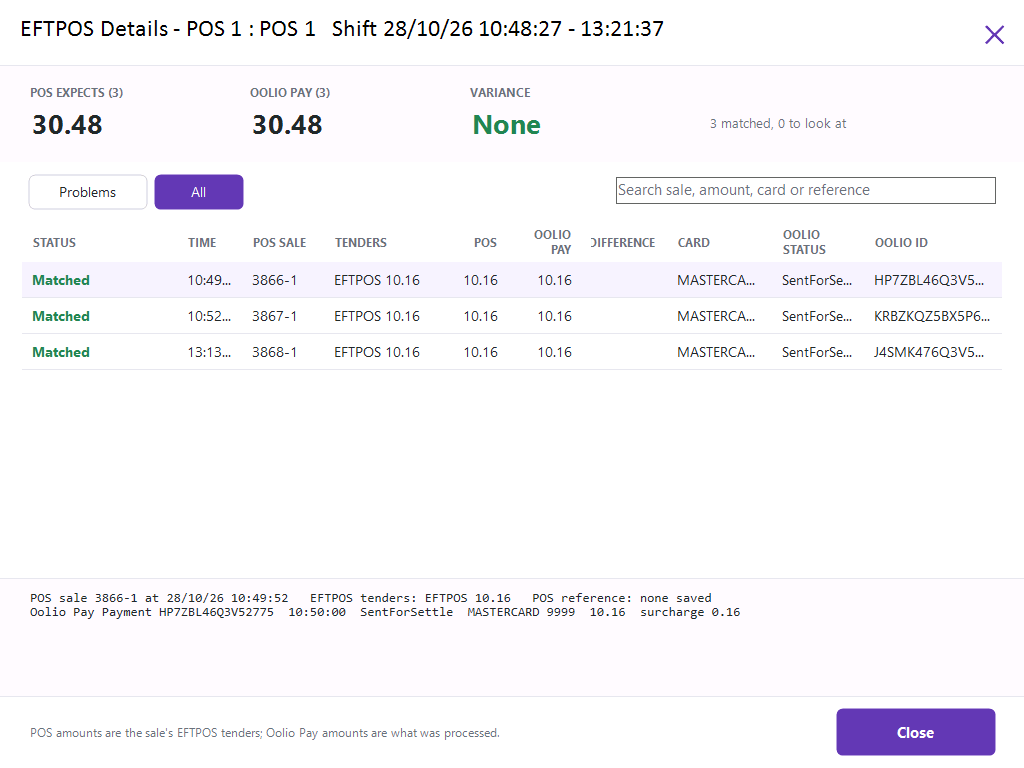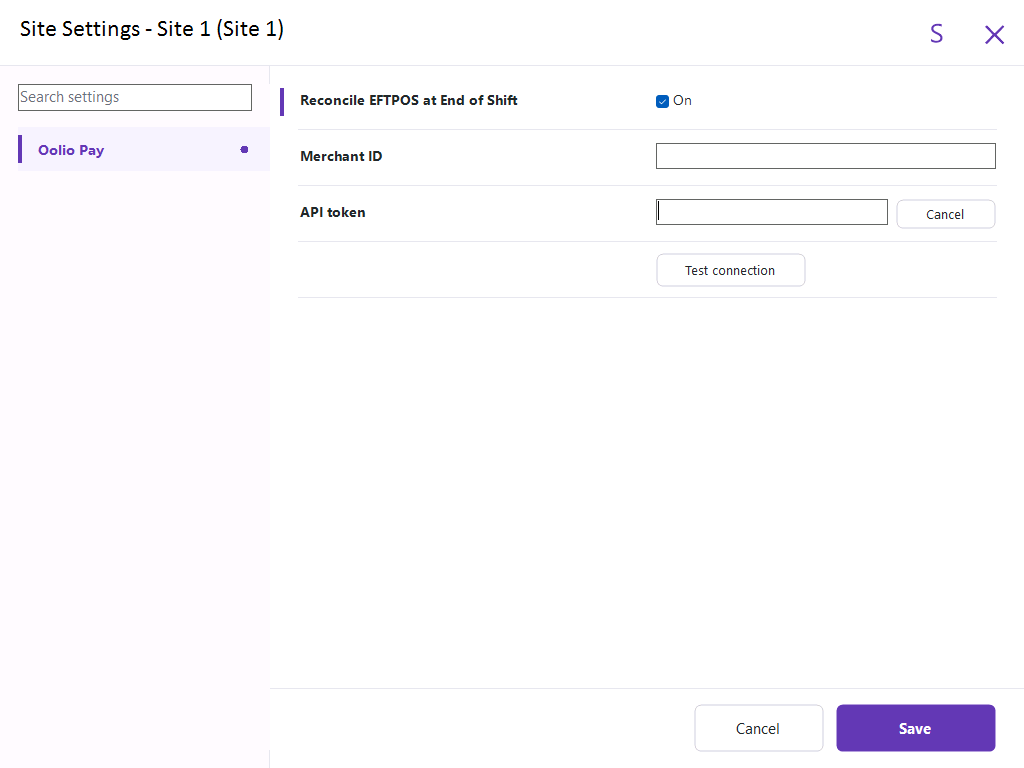
This functionality enables EFTPOS reconciliations for Oolio Pay (currently only supported by Oolio Pay Global).
When doing a Cash Declaration at the End of Shift, the EFTPOS figure will be posted automatically into the correct Tender.
Any variance will be shown with the ability to drill down to find where the variance came from.
As this is beta functionality, it is subject to change pending feedback.
Go to: Back Office > Setup > Site Settings.
After entering the details > Press "Test Connection" > the result will be displayed.
Before pressing the "End of Shift" button/function, it is recommended to wait until 40 seconds after the last EFTPOS transaction.
Press the End of Shift button/function.
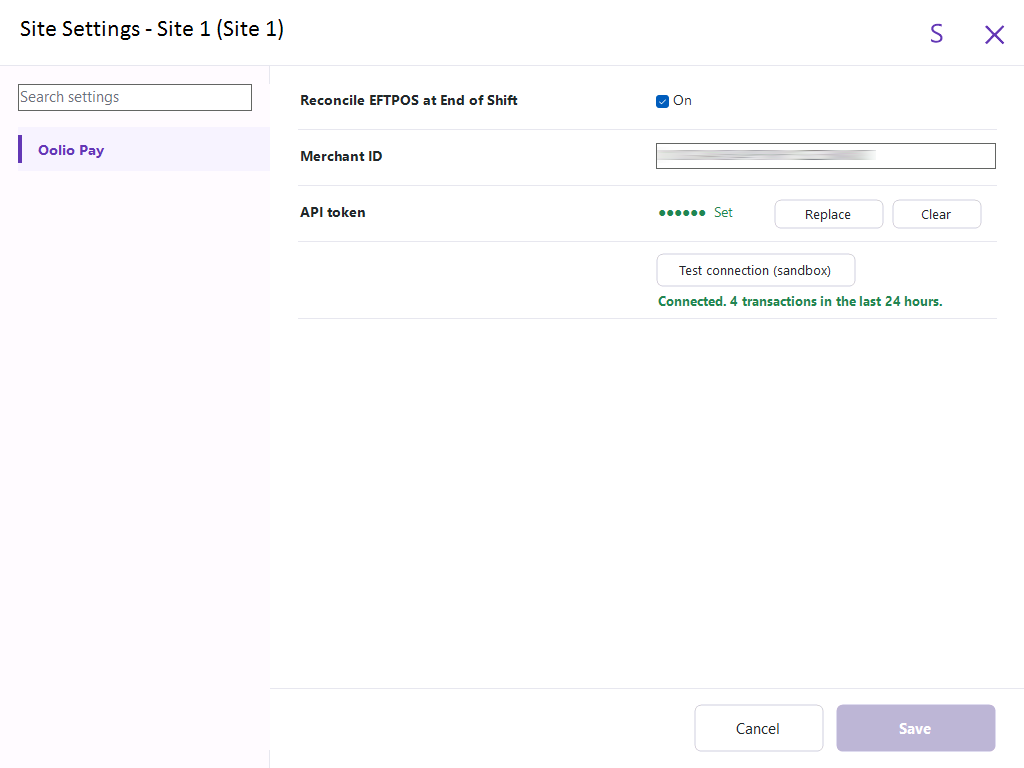
The EFTPOS Tender Type field will be pre-populated with the EFTPOS figures captured by Oolio Pay.
With other EFTPOS integrations, the figures shown in the EFTPOS Tender Type field are usually obtained from the local POS Terminal only and aren't 'captured' from the EFTPOS integration.
Note!
If an EFTPOS transaction is performed, then an End of Shift is performed immediately afterwards (before the EFTPOS sale has been captured by Oolio Pay), the amount for that transaction will not be included in the EFTPOS total.
The refresh button next to "Oolio Pay EFTPOS check" can be pressed to refresh the figures; the transaction is usually processed within a minute after EFTPOS has been tendered.
When there are EFTPOS transactions that have not yet been processed by Oolio Pay, "EFTPOS VARIANCE" will be displayed in red with the variance amount.
The EFTPOS Tender Type field will contain a sum of all captured EFTPOS transactions for the terminal; the figure is not final and will increment after the transactions are captured and the refresh button is pressed.
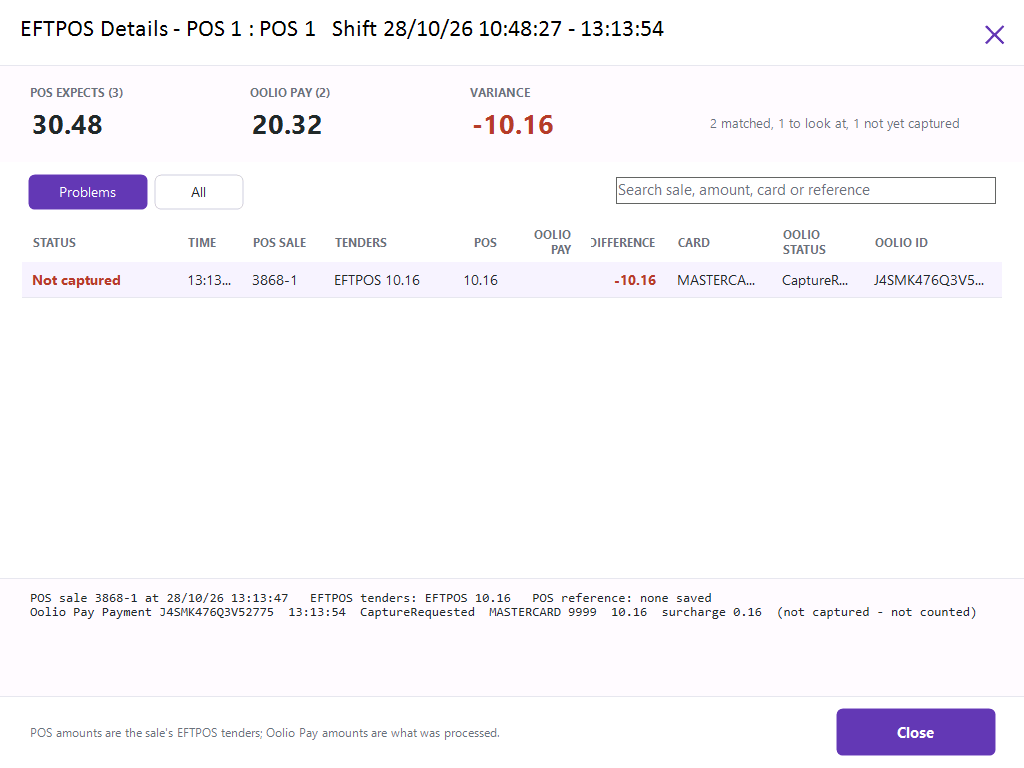
EFTPOS Details (Variance Exists)
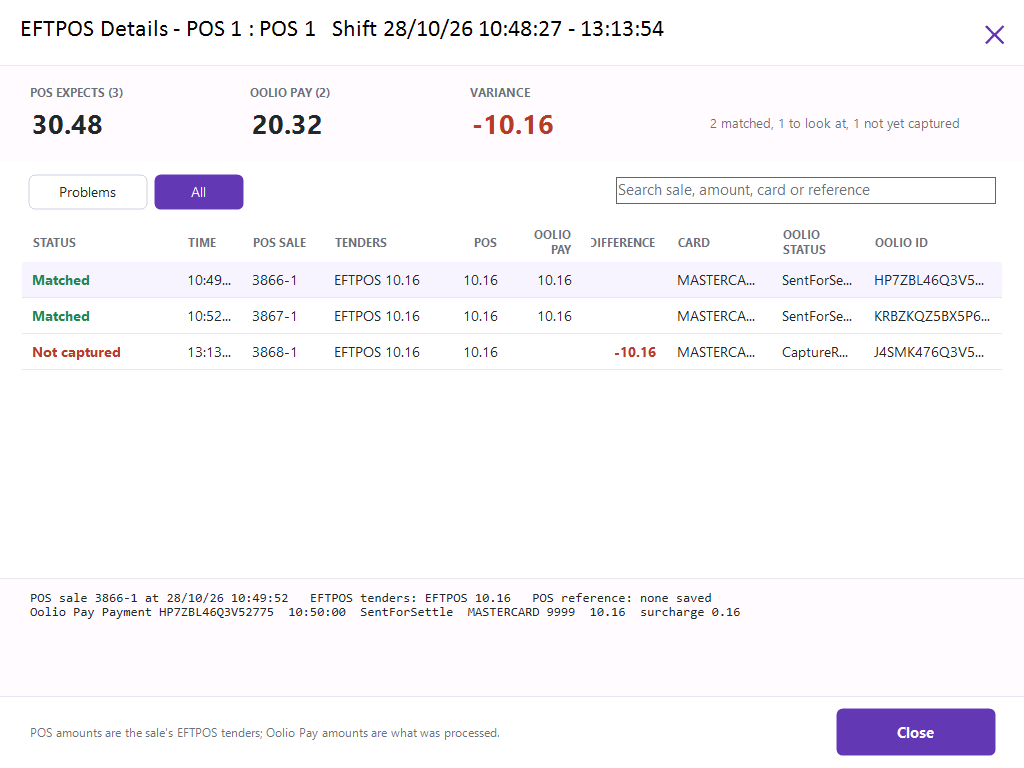
The EFTPOS Details button can be pressed to show the details of all transactions.
Problems - This will filter the list to only show transactions that are not captured or have problems.
All - This will filter the list to show Matched and Not captured transactions.
When all EFTPOS transactions have been processed by Oolio Pay, "EFTPOS matches Oolio Pay" will be displayed in green.
The EFTPOS Tender Type field will contain a sum of all captured EFTPOS transactions for the terminal and the figure will be final; no further transactions waiting to be captured.
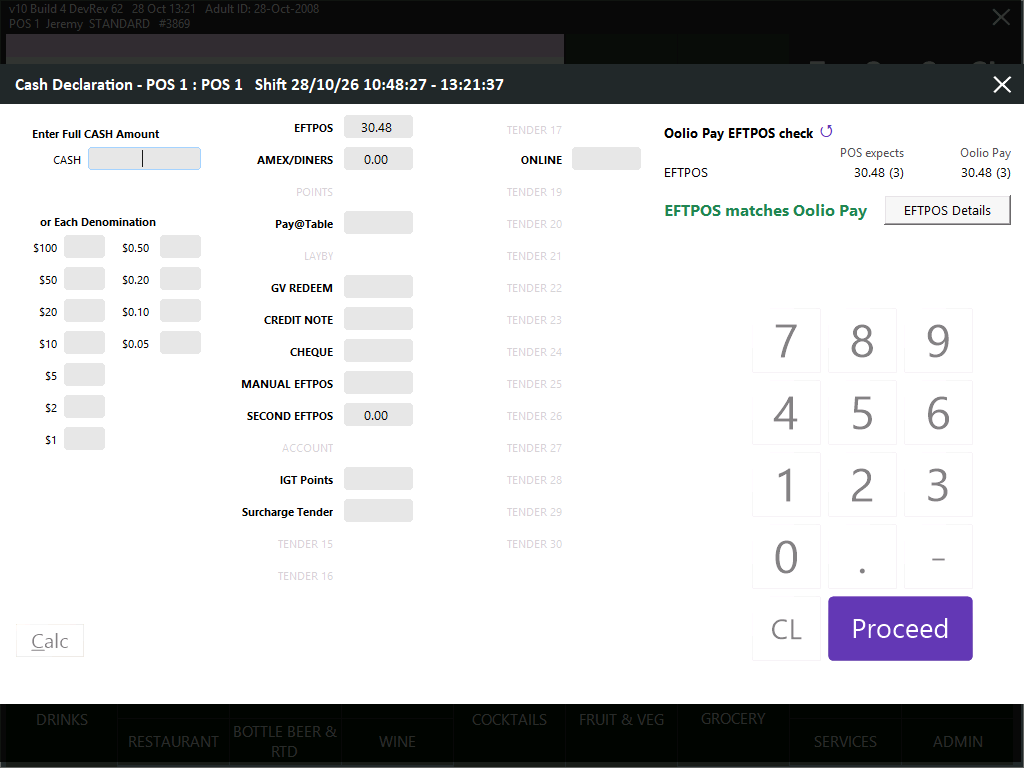
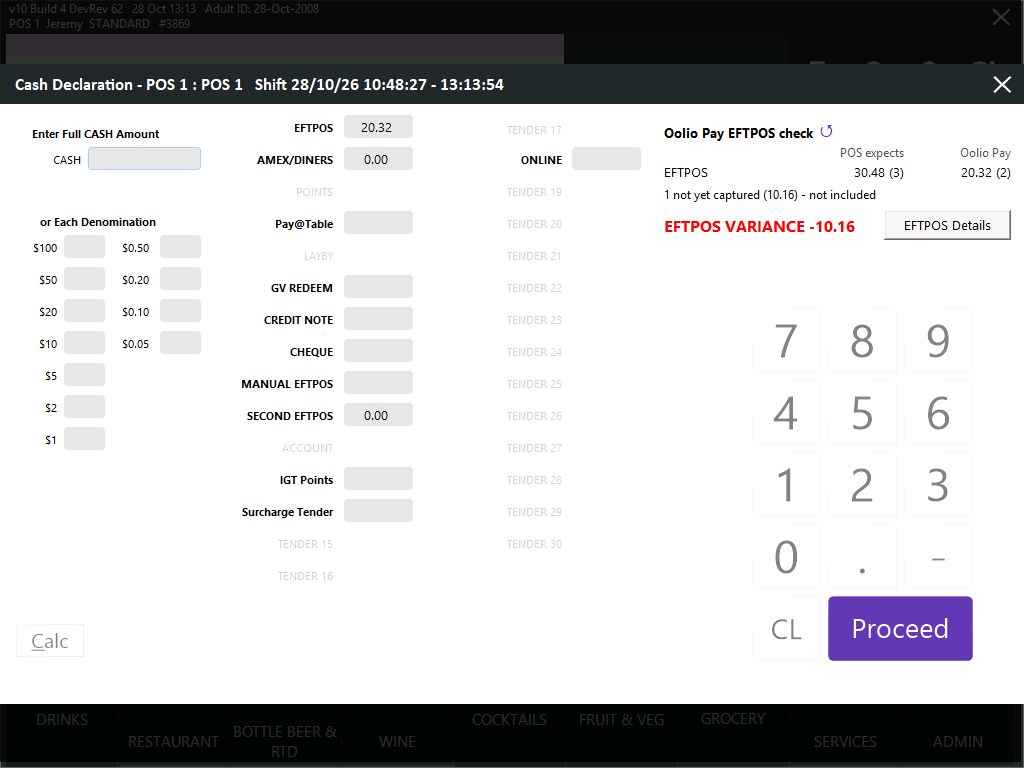
EFTPOS Details (No Variance)
The EFTPOS Details button can be pressed to show the details of all transactions.
All transactions will be listed as Matched.